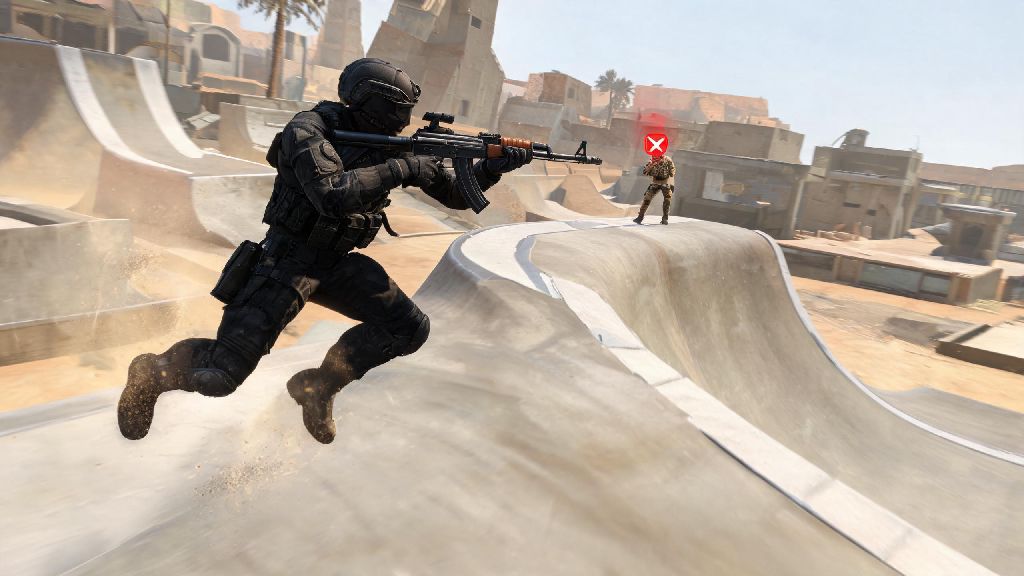
If you’ve scrolled through CS2 short-form content and seen players gliding across angled ramps, launching 100+ feet across maps, and landing clean headshots mid-slide, you’ve probably wondered how they pull it off. Learning how to surf Counter Strike 2 is one of the most satisfying side skills you can pick up in the game, even if you never plan to join competitive surf lobbies. It’s a great way to take a break from stressful ranked matches, and the movement skills you pick up will even translate to better control in standard competitive play.
First Steps to Learn How to Surf Counter Strike 2 for Total Beginners
You don’t need hundreds of hours of competitive CS2 play under your belt to start surfing. In fact, many new surfers have less than 50 hours of total playtime when they try their first ramp. The first thing you need to do is adjust your basic controls to fit surf’s unique movement requirements. Most default CS2 settings work against new surfers, so small tweaks will cut your learning curve in half.
Once your settings are sorted, pick a dedicated beginner surf map to start practicing. Most beginner maps have wide, gentle ramps with lots of room for error, so you won’t fall off every two seconds. Don’t jump into hard or expert maps right away, even if you think you’re a fast learner. Those maps are built for players with dozens of hours of surf experience, and you’ll just end up frustrated if you try them too early. Spend your first hour of practice just focusing on staying on ramps, no tricks or speed runs required.
Core Movement Mechanics That Make CS2 Surf Work
CS2 surf works because of quirks in the game’s physics engine, and you don’t need a degree in game design to understand how to use them to your advantage. The first and most important rule of surf is one most new players struggle to remember at first. Never press the W key while surfing unless you’re intentionally trying to stop on a ramp. Pressing W will push you directly into the ramp, canceling out your forward momentum and making you slide off almost immediately.
All of your forward momentum comes from pressing the A or D keys while positioned on a sloped surface. If you’re on a ramp that angles down to your left, holding the A key will push you forward along the surface of the ramp. If you’re on a ramp that angles down to your right, hold D instead. You control your speed by how close you stay to the center of the ramp: staying centered gives you maximum speed, while drifting toward the edge of the ramp will slow you down gradually.
When you launch off a ramp into the air, you’ll use the same A and D keys to control your direction, paired with gentle mouse movements. If you need to turn left mid-air, move your mouse slowly to the left while holding the A key. If you need to turn right, move your mouse right while holding D. This is the same strafing mechanic used in competitive CS2 movement, so getting good at it during surf practice will make you a better player overall. I’ve had friends who picked up surf first then found they had far better jump control in ranked matches than players who only played competitive.
How to Progress From Easy Ramps to Intermediate Surf Maps
Once you can complete a full beginner surf map without falling off more than once or twice, you’re ready to move to intermediate maps. These maps have narrower ramps, bigger gaps between surfaces, and sometimes include obstacles you have to navigate around. The first skill you’ll need to master at this level is controlled speed adjustment. The biggest mistake intermediate surfers make is chasing maximum speed on every ramp, and it usually leads to them overshooting the next ramp entirely and falling to their death.
To slow down without stopping, simply drift slightly toward the upper edge of the ramp you’re currently on. You’ll lose a small amount of speed gradually, which will let you land perfectly on the next ramp instead of flying past it. If you need to slow down faster, you can tap the S key once or twice, but don’t hold it down for more than a split second, or you’ll lose all your momentum entirely.
Next, you’ll want to practice consistent air strafes to clear longer gaps between ramps. Most intermediate maps have gaps that require you to strafe mid-air to reach the next surface, so spend 10 to 15 minutes every practice session running air strafe drills on a beginner map. If you want to try combat surf, which lets you fight other players while surfing, you’ll also want to practice keeping your crosshair at head level while you move. Most players on combat surf servers will be at roughly the same height as you on parallel ramps, so keeping your crosshair raised will let you land quick headshots without adjusting your aim too much.
Common CS2 Surf Mistakes to Avoid Wasting Practice Time
It’s normal to make mistakes when you’re first learning to surf, but some mistakes will slow your progress down drastically if you don’t fix them early. The first common mistake is playing the same easy map for dozens of hours without moving to harder content. It feels good to master a map you’re comfortable with, but you won’t build new skills if you never challenge yourself. Once you can clear a map three times in a row without falling off, it’s time to pick a harder one.
Another common mistake is changing your control settings every time you have a bad practice session. Stick to one set of control settings for at least 20 hours of surf practice before making any adjustments. Muscle memory takes time to build, and switching your sensitivity or key binds every few days means you’ll never get consistent with your movements.
Many new surfers also watch pro surf highlight reels then try to pull off advanced tricks before they’ve mastered the basics. Tricks like double ramp jumps and 180 mid-air strafes look cool, but they require hundreds of hours of practice to pull off consistently. Trying them too early will just lead to frustration and wasted practice time. Low and inconsistent FPS is the silent killer of CS2 surf performance, even for players with perfect movement mechanics. If your game is running below 60 FPS, you’ll have noticeable input lag that makes fine adjustments almost impossible. Turn down your graphics settings and disable vertical sync to get the highest, most consistent FPS possible before you start practicing.
At the end of the day, learning how to surf Counter Strike 2 is all about consistent, focused practice and building good habits early on. You don’t have to be a pro competitive player to have fun with it, either. Plenty of people play casual surf lobbies for hours a week just to relax and listen to music between ranked matches. You don’t have to be perfect to enjoy surfing, so don’t put too much pressure on yourself to nail every trick on your first try. Next time you’re burnt out from grinding ranked, load up a beginner surf map and give these tips a go. You might just find your new favorite way to play CS2.