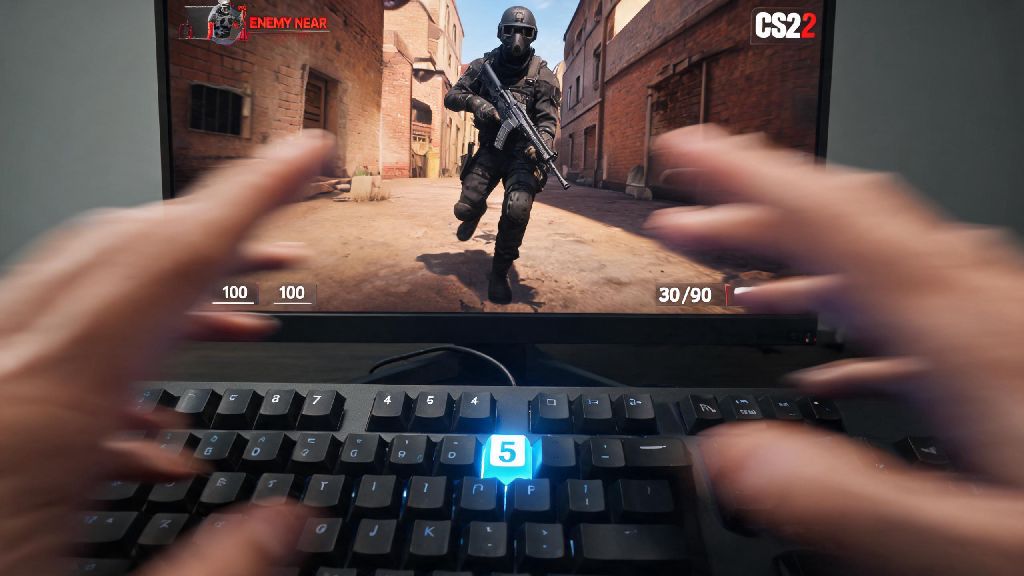
There’s nothing more frustrating than being the last alive on your team as a Terrorist in Counter Strike 2, holding the C4, and fumbling to pull it out while a Counter-Terrorist rushes your position. If you’ve ever wasted precious seconds searching for the right button, you’re far from alone. A huge number of new and returning CS2 players ask where is the bomb key in Counter Strike 2, and even seasoned players sometimes miss ways to optimize this keybind for faster plays. This guide breaks down everything you need to know about default bomb keys, rebinding options, and common mistakes to avoid so you can plant faster and win more rounds.
Where is the Bomb Key in Counter Strike 2: Default Bind Explained
If you haven’t adjusted any of your in-game keybinds, accessing the bomb is straightforward, even if it’s not the most convenient. By default, the bomb key in CS2 is the number 5 key on the top row of your keyboard, above the QWERTY letter keys. The bomb occupies the 5th inventory slot in your loadout, sitting after your primary weapon (slot 1), secondary pistol (slot 2), knife (slot 3), and grenade utility (slot 4).
If you migrated your CS:GO settings to CS2 when the game launched, you might have noticed your old bomb bind got reset to default for no apparent reason, which is a common bug a lot of players reported in the first few months after release. Many players also run into issues with the default bind if they use a compact laptop keyboard, where the top number row requires holding a function key to access. I’ve seen new players press 4 10 times in a panic trying to pull the bomb, because they forget it’s one slot further back than their grenades.
You can confirm your current bomb bind at any time by jumping into a casual match, picking up the C4, and pressing the 5 key to see if it equips. If it doesn’t, you’ll want to head to your keyboard settings to check what the bind is currently set to, or adjust it to something that works better for you.
How to Rebind the Bomb Key for Faster, More Consistent Plays
The default 5 key works for new players who are still learning the basics, but it’s far from ideal for competitive play. Rebinding your bomb key to a more accessible position can cut your plant time by up to half a second, which is often the difference between winning and losing a round. Rebinding only takes 30 seconds: head to your in-game settings, open the Keyboard/Mouse tab, find the “Equip C4” or “Use Item 5” option, click the bind box, and press the key you want to use instead.
There are tons of great bind options depending on your keyboard layout and playstyle, but these are the most popular picks among casual and pro players alike:
I personally use the lower side button on my gaming mouse for the bomb, and it’s cut my average plant time so much that I’ve won multiple rounds where I planted right as a CT rounded the corner, before they could shoot me. But don’t rebind it to a key you already use for something critical, like a grenade bind or your jump key. I tried binding it to F once, and kept accidentally pulling the bomb when I tried to inspect my weapon, which cost me a 1v3 clutch once.
Common Bomb Key Mistakes to Avoid in Competitive Matches
Even if you have the perfect bomb bind set up, there are a few common mistakes that can cost you rounds if you’re not careful. One of the most common mistakes new players make is binding their bomb key to the same key as one of their grenade binds. If you press the key by accident mid-fight, you pull out the bomb instead of a flash or smoke, which gets you killed instantly. Always double check that your new bomb bind doesn’t overwrite any of your existing critical binds before you jump into a match.
Another big mistake is not testing your new bind in casual matches first. So many people rebind their key right before a competitive game, then forget what it is when they need it most. Spend 10 minutes in a casual or deathmatch game practicing equipping the bomb with your new bind until it feels second nature. You don’t want to be guessing what button to press when you’re the last one alive on your team with 10 seconds left in the round.
If you’re playing on a friend’s keyboard or an internet cafe PC, don’t assume the bomb key is the same as your home setup. Always take 30 seconds in the warmup to check binds, or use the default 5 key if you don’t have time to adjust settings. You don’t need to hold the bomb key to equip it, a single tap is all it takes to pull the C4 out immediately, so there’s no reason to spam the key when you’re in a hurry.
Pro Tips for Using Your Bomb Key to Win More T Side Rounds
Having a good bomb bind is only half the battle, knowing when to use it will make you a much more effective T side player. Get in the habit of equipping the bomb as soon as you enter the bombsite, before you start clearing the last remaining corners. If you clear the site and already have the bomb out, you can plant instantly instead of wasting time fumbling for the key while a CT rotates in. The only exception is if you know there’s still a CT alive in the site, in which case you should keep your weapon out until you confirm the area is safe.
If you’re the entry fragger on your team, you don’t need to carry the bomb at all, but if you’re the support player who stays behind the entry push, keep your bomb key ready so you can run in and plant as soon as the site is called clear. You don’t want to be the reason your team can’t plant the bomb after winning a fight because you’re all the way back at spawn with the C4.
One little-known detail that most new players miss is that the C4 makes an audio cue when you equip it. The C4 makes a faint clicking sound when you pull it out, so avoid pressing your bomb key if you’re hiding from nearby CTs. I’ve caught so many players hiding in bombsite B on Inferno just by hearing that little click when they pull the bomb out, so it’s a detail you don’t want to ignore. If you’re hiding and waiting for your team to clear the site, keep the bomb holstered until you’re sure there are no CTs close enough to hear you.
At the end of the day, knowing where is the bomb key in Counter Strike 2 and optimizing it to fit your playstyle is one of the simplest, highest-impact changes you can make to your CS2 gameplay. You don’t need fancy gear or thousands of hours of playtime to adjust this one setting, and the difference it makes in tense clutch rounds will surprise you. Spend a few minutes testing different binds in casual matches this week, and you’ll never fumble for the bomb mid-round again.