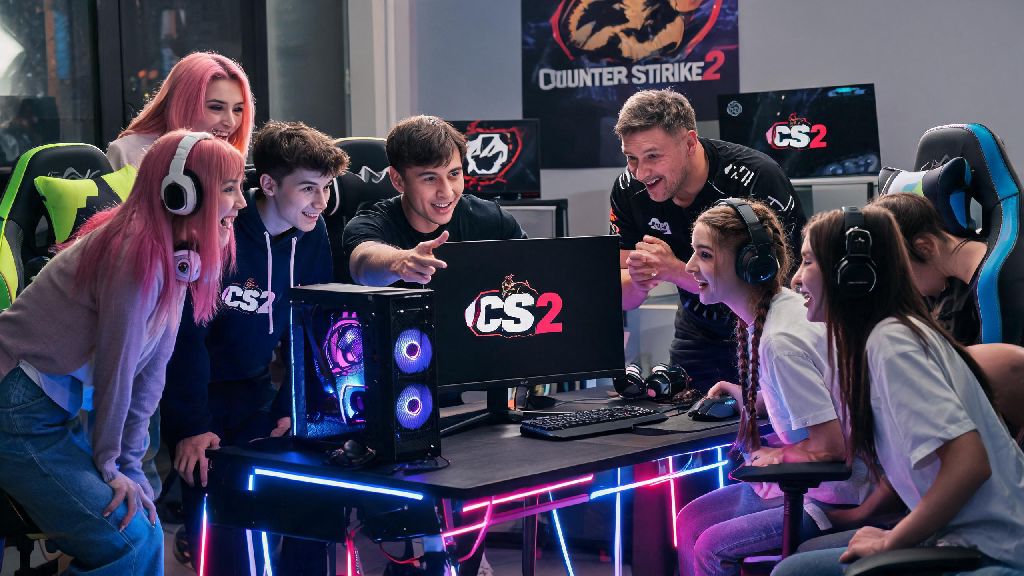
If you’ve seen clips of CS2’s new smoke mechanics, fast-paced ranked matches, or vibrant community server modes popping up on your social feeds, you’re probably eager to jump in yourself. A lot of new and returning players run into confusing roadblocks when they first try to get the game running, from missing library entries to launch errors that don’t come with clear explanations. This guide breaks down exactly how to gain access to Counter Strike 2, with no overly technical jargon, just actionable steps that work for every type of player, whether you’re a total FPS newbie or a former CS:GO vet coming back after a break.
How to Gain Access to Counter Strike 2: Check Eligibility First
Before you try to download the game, it’s important to confirm you meet Valve’s basic eligibility requirements, because missing even one of these will block your access entirely. First, you need a valid, non-restricted Steam account. You don’t need to pay any extra fee to access the base game, even if you never purchased CS:GO before its shift to free-to-play. The only paid upgrade is Prime Status, which unlocks ranked play and reduces the number of cheaters you’ll run into, but that’s completely optional.
Next, you can’t have an active VAC ban tied to your Steam account for any Counter Strike title. VAC bans are permanent, and they apply across all games in the franchise, so if you had a ban on CS:GO, you won’t be able to play CS2 on that same account. You also need to make sure your device meets the minimum hardware requirements to run the game, which are fairly forgiving for modern PCs. You’ll need at least 4GB of RAM, a 2GHz dual-core processor, and 15GB of free storage space to install the full game.
In many cases, there are no region locks for CS2, but some countries with strict gaming restrictions may block access to the Steam store page for the game. If that’s the case for you, you won’t be able to download the game officially without adjusting your location settings, but we don’t recommend using workarounds that violate Valve’s terms of service, as they can lead to account bans.
Step-by-Step Setup to Get CS2 Running on Your Device
Once you confirm you meet the eligibility rules, getting CS2 installed and running takes less than 10 minutes for most people, as long as you follow these steps in order. First, open your Steam client and log into the account you want to use to play the game. Make sure your Steam client is updated to the latest version before searching for CS2, because outdated versions often won’t show new game entries in your library or the store.
Next, head to your Steam library, and use the search bar to look for “Counter Strike 2”. If you previously had CS:GO installed on your account, CS2 should already appear in your library automatically, with an option to install or update it. If it doesn’t show up, head to the Steam store, search for Counter Strike 2, and click the “Play Game” button to add it to your library for free. The process is straightforward, even for people who have never used Steam before.
Once you click install, the game will download automatically. The full file size is around 15GB, so download time will depend on your internet speed. When the download finishes, click the “Play” button to launch the game. The first time you launch CS2, it will run a shader pre-caching process that can take anywhere from 2 to 10 minutes, depending on your PC specs. Don’t close the game during this process, as it will make gameplay much smoother once you get into matches.
If you want to access ranked play, you can purchase Prime Status from the Steam store for a one-time fee, or if you already had Prime Status on your CS:GO account, it will carry over automatically to CS2 with no extra work needed from you. Prime also gives you access to exclusive cosmetic drops and souvenir items during official tournaments, which is a nice bonus for regular players.
Fixes for Common CS2 Access Issues
Even if you follow all the steps correctly, you might run into small issues that block you from playing. Most of these have simple fixes that take less than a minute to try, so you don’t need to panic if you get an error message when you first try to launch the game. Most missing library issues happen because of outdated Steam clients, so that's always the first fix you should try. If that doesn’t work, try one of the solutions below:
Another common issue is getting locked out of ranked play even though you purchased Prime Status. This usually happens if your Steam account is still limited, which means you haven’t spent at least $5 USD on the Steam store. This limit is in place to reduce smurf accounts and cheaters in ranked lobbies, so you’ll need to make a small purchase on Steam to unlock full access to all CS2 modes. Never download CS2 from third-party websites, as these often contain malware or stolen account credentials that can lead to you losing your Steam account entirely. Always download the game directly from the official Steam store to stay safe.
What to Do After You Gain Access to CS2
Once you get the game launched, there are a few quick steps you can take to make your first few matches much more enjoyable, instead of jumping straight into competitive play and getting frustrated. First, head to the practice range to test out your mouse sensitivity and adjust your graphics settings to fit your playstyle. If you’re a new player, take 10 to 15 minutes to run through the basic tutorial, which covers core mechanics like shooting, moving, planting the bomb, and defusing. It’s simple, but it will save you a lot of embarrassment in your first public match.
If you’re a returning CS:GO player, spend some time testing the new smoke and weapon recoil mechanics in the practice range, because they’re very different from the old CS:GO system. A lot of returning players jump straight into ranked and get frustrated because their old muscle memory doesn’t work as well as it used to, so taking an hour to practice first will help you rank up much faster.
Prime status is worth the cost if you plan to play ranked, as it reduces the number of cheaters you'll encounter in matches. If you’re just playing casual modes with friends, you don’t need to spend the extra money, because the base game has all the same maps and casual modes available for free. You can also join community servers to play custom modes like zombie escape, surf, or deathmatch, which are a lot of fun for casual players who don’t care about ranked progression.
If you want to track your performance, you can link your Steam account to approved third-party stat trackers that show your win rate, headshot percentage, and other useful metrics. These tools are completely optional, but they can help you identify areas you need to improve if you want to climb the ranked ladder. Just make sure any tool you use is allowed by Valve, so you don’t risk getting your account banned for using unauthorized software.
At the end of the day, the process to figure out how to gain access to Counter Strike 2 is much simpler than a lot of people make it out to be, as long as you follow the official steps and avoid untrusted third-party tools. Most access issues are caused by small, easy-to-fix mistakes like outdated Steam clients or interrupted downloads, so you won’t need to spend hours troubleshooting to get the game running. Whether you’re planning to play casual matches with friends or climb to the top of the ranked leaderboards, you’ll be jumping into your first round in no time once you follow the steps in this guide.