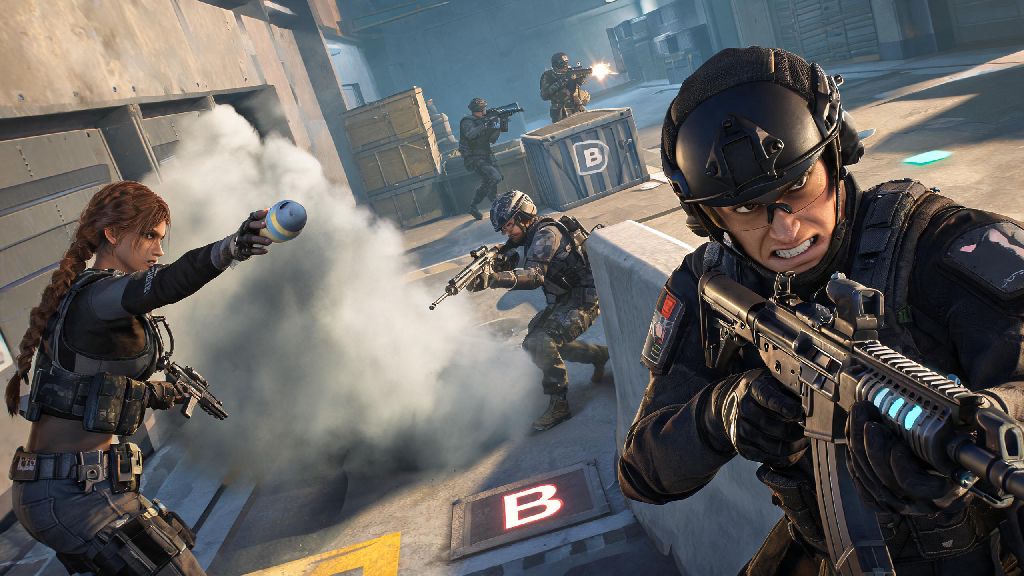
If you’ve been scrolling through gaming clips of 1v5 clutch plays, smoke grenade tricks, and chaotic competitive matches, you’ve probably wondered how to join the fun yourself. Learning how to download counter-strike 2 is the first step to jumping into one of the most popular tactical FPS games of all time, and it’s way simpler than you might think. I’ve helped dozens of my friends set up the game over the last year, so I’ve broken down every step, common pitfalls, and extra tips to make the process as smooth as possible. You don’t need to pay for anything upfront, and the whole process usually takes less than 10 minutes if you have a stable internet connection.
How to Download Counter-Strike 2 via Steam (Official Method)
CS2 is developed and published by Valve, so the only official way to get the game is through the Steam platform. Before you start the how to download counter-strike 2 process, make sure you don’t click any links from random websites or social media ads claiming to offer “fast CS2 downloads” or “premium CS2 bundles” – these are almost always scams. Only download CS2 through the official Steam client to avoid malware, account theft, or permanent bans from official game servers. The base game is 100% free, so you never have to pay to access core casual or competitive modes.
The step-by-step process for downloading CS2 is straightforward, even if you’ve never used Steam before:
The full game download is around 15GB as of the latest update, so make sure you have enough free space on your chosen drive. If you have an SSD, install the game there for faster load times and fewer mid-match stutters. If you already had CS:GO installed on your PC before the CS2 update, you don’t need to go through a separate download process – Steam will automatically update the old game to the new version for free.
Required System Specifications to Run CS2 Smoothly
Before you start the how to download counter-strike 2 process, take 2 minutes to check your PC specs to avoid disappointment later. I’ve seen so many new players get frustrated when the game crashes mid-match or runs at unplayable FPS because they skipped this simple step. CS2 is surprisingly well-optimized for older hardware, but it still has minimum requirements you need to meet to run the game at all.
Minimum requirements (for 30FPS at low settings): 64-bit Windows 10 operating system, Intel Core i5 2500K or AMD equivalent processor, 8GB RAM, NVIDIA GTX 1050 Ti or AMD equivalent graphics card, and 15GB of free storage space. If your PC hits these specs, you’ll be able to play casual matches, but you may need to turn off extra graphics features to get a stable frame rate.
Recommended requirements (for 144FPS at medium to high settings): 64-bit Windows 10 or 11 operating system, Intel Core i7 8700K or AMD equivalent processor, 16GB RAM, NVIDIA RTX 2060 or AMD equivalent graphics card, and 15GB of free SSD storage. 144FPS is the sweet spot for competitive play, as it gives you faster reaction times and smoother movement than lower frame rates. Mac and Linux support is limited right now, so most players will need a Windows PC to access all official game modes without complicated workarounds.
Common Installation Issues and How to Fix Them
Even if you follow all the official steps perfectly, you might run into small issues during or after the download process. I’ve run into almost all of these myself when helping friends set up the game, so these fixes work 90% of the time without needing to contact Steam support. Most issues that pop up when you’re figuring out how to download counter-strike 2 are tied to internet connection or storage problems, so you rarely need to do anything more complex than the fixes we listed.
Download stuck at 0% or pausing randomly: First, pause the download, close and restart your Steam client, and make sure no other apps are using your internet connection at the same time. If that doesn’t work, clear your Steam download cache from the “Downloads” section of your Steam settings. This resets your download queue and often fixes stuck progress.
Game won’t launch after installation: Right click on Counter-Strike 2 in your Steam library, select “Properties”, go to the “Installed Files” tab, and click “Verify integrity of game files”. This scans for corrupted or missing files and replaces them automatically, which fixes almost all launch errors. If you still have issues, make sure your graphics card drivers are updated to the latest version.
“Insufficient disk space” error even when you have space: Make sure you’re downloading the game to a drive that is formatted to NTFS, as FAT32 drives can’t handle large game files. If you’re still having issues, try moving a few unused files to another drive to free up extra buffer space, as Steam sometimes requires a small amount of extra space to unpack installation files.
First Things to Do After You Install CS2
Once you’ve finished the how to download counter-strike 2 process and launched the game for the first time, there are a few quick steps you can take to make your first few matches way more enjoyable. It’s tempting to jump straight into competitive matches right away, but taking 15 minutes to set up the game properly will save you a lot of frustration later.
Complete the in-game practice tutorial first. It only takes 10 minutes, and it teaches you the basics of movement, shooting, and utility use that you’ll need for every match. Skipping this is a surefire way to get destroyed in your first few casual matches, as even experienced FPS players need to learn CS2’s unique movement and recoil patterns.
Next, adjust your settings to match your playstyle. Turn off mouse acceleration if you’re used to consistent mouse movement, and tweak your graphics settings to get a stable FPS before you jump into online matches. You can also adjust your crosshair color and size to something that’s easy for you to see against all map backgrounds. If you want to play competitive mode, you’ll need to link your phone number to your Steam account first – this is a requirement to prevent smurfing and cheaters, and it only takes a minute to set up.
When you’re ready to play, start with casual game modes before trying competitive. Casual matches have no rank penalty, so you can learn the maps and game rules without stressing about losing your rank. You can also play deathmatch to practice your aim without having to worry about objective play or team coordination until you’re comfortable with the game mechanics.
At the end of the day, learning how to download counter-strike 2 is a straightforward process that opens the door to thousands of hours of fun with friends, competitive challenges, and endless opportunities to improve your skills. As long as you stick to the official Steam download, check your system specs first, and follow the quick setup tips we covered, you’ll be fragging enemies and winning rounds in no time. Don’t get discouraged if your first few matches don’t go well – every pro player started exactly where you are, fumbling with grenade throws and missing easy shots. Jump in, have fun, and don’t forget to communicate with your team.