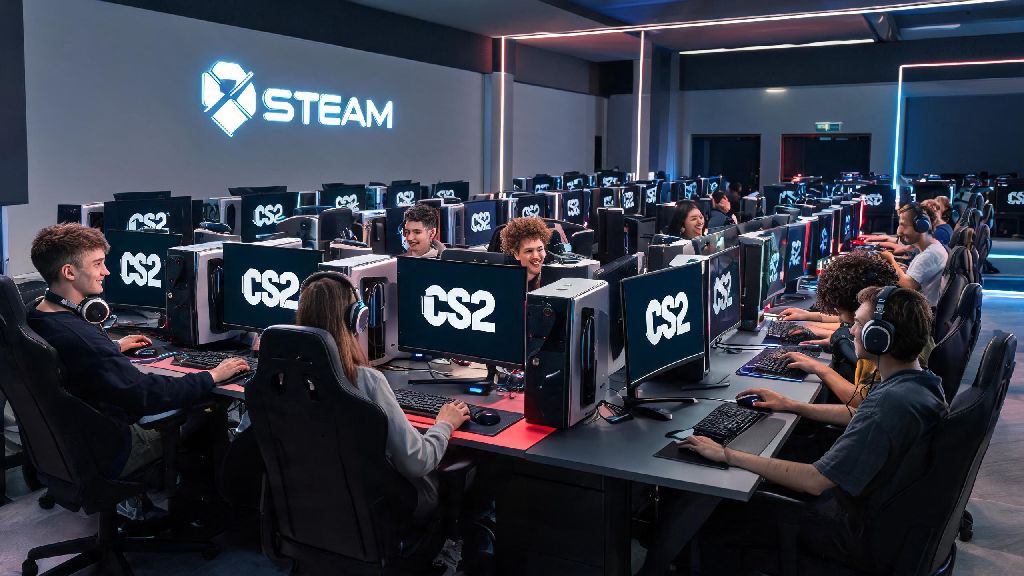
If you’ve logged onto Discord lately to see all your friends queuing for CS2 ranked matches, you might be wondering if you already have the game on your PC without realizing it. Valve replaced the entire CS:GO client with CS2 back in 2023, so a lot of players who haven’t opened their Steam library in a while get confused about whether they need to download a new game or if it’s already sitting there waiting for them. This guide breaks down exactly how to check if i have counter strike 2, plus fixes for common glitches that hide the game from your library even when you’re eligible to play.
How to Check if I Have Counter Strike 2 in Your Steam Library
The fastest and most reliable way to confirm your CS2 access is through your Steam library, since all CS2 licenses are tied directly to your Steam account. First, open your Steam client and make sure you’re logged into the account you use for gaming. Head to the Library tab, then type “Counter Strike 2” into the search bar at the top left of the window. If the game pops up in your results, you already have access to it, and you can click the “Play” button to install or launch it right away. If you previously owned CS:GO, you automatically have access to CS2 for free, so you never need to pay for the game if you had the older version.
For example, if you hid CS:GO a few years ago after a bad losing streak, CS2 will still show up in your hidden games folder instead of your main library. That’s because Valve transferred all existing CS:GO licenses directly to CS2, so there’s no separate listing for most users. To check your hidden games, click the “View” dropdown at the top of the Steam window, then select “Hidden Games” from the menu. If CS2 is there, you can right-click it, select Manage, then “Remove from Hidden” to move it back to your main library.
Verify CS2 Installation Status Without Opening Steam
You don’t even have to open Steam to confirm if CS2 is on your hard drive, which is helpful if you’re offline or trying to free up space without logging into your account. The default Steam install folder for CS2 is the same as the old CS:GO folder, so head to C:\Program Files (x86)\Steam\steamapps\common\Counter-Strike Global Offensive if you used the default install settings. CS2 takes up roughly 35GB of storage space on Windows and macOS, so if that folder is only 15GB or smaller, you only have leftover CS:GO files that haven’t been updated to the new version.
You can also check your Windows Add or Remove Programs menu, or macOS Applications folder, to see if Counter Strike 2 is listed as an installed program. If it shows up in either location, the game is already on your PC, and you just need to open Steam to launch it. Keep in mind that if you installed Steam on a secondary hard drive, you’ll need to check the Steam/steamapps/common folder on that drive instead of the C drive default.
What to Do If You Can’t Find CS2 Even If You’re Eligible
Sometimes Steam glitches out and doesn’t display CS2 in your library even if you have access, especially if you haven’t updated your client in a few months. These simple fixes almost always resolve the issue in a minute or two, no support ticket required:
So if you tried all these steps and still don’t see CS2, head to the official Steam store page for the game. You don’t need to purchase CS2 if you previously owned CS:GO, even if the store page temporarily shows a purchase option – this is a common sync glitch that fixes itself when you log out of your Steam account and log back in. CS2 is completely free to play for all users now, too, so even if you never owned CS:GO, you can add it to your library for no cost at any time.
Confirm CS2 Is Working Properly After Locating It
Once you find CS2 in your library or local files, you’ll want to make sure it’s fully updated and ready to play, instead of stuck on the old unsupported CS:GO version. The easiest way to check is to launch the game: the main menu will clearly display Counter Strike 2 branding at the top, with the new UI layout and game modes like Premier Matchmaking visible right away. If you launch the game and see the old CS:GO orange menu, that means your game files haven’t updated fully yet.
If you launch the game and see old CS:GO assets or menu layouts, you need to run a game file verification to replace any outdated files. You can do this by right-clicking CS2 in your Steam library, selecting Properties, heading to the Installed Files tab, and clicking Verify Integrity of Game Files. This process takes 5 to 10 minutes depending on your hard drive speed, and it will automatically download any missing or corrupted CS2 files. You should always run the file verification after major CS2 updates to avoid performance issues or launch crashes, as partial updates can cause all kinds of unexpected bugs. If you have custom CS:GO mods or skins installed, you might want to move those to a separate folder before verifying files, as many old CS:GO mods are not compatible with CS2 and can cause launch errors.
Checking if you already have CS2 on your PC takes less than a minute once you know where to look, and most common issues that hide the game are easy to fix without contacting support. Whether you’re a returning CS:GO player who hasn’t touched the game in years, or a new player who downloaded it by accident a while back, the steps we covered will help you confirm your access fast. Next time you’re wondering how to check if i have counter strike 2, just run through these quick steps and you’ll be queuing for your first match in no time.