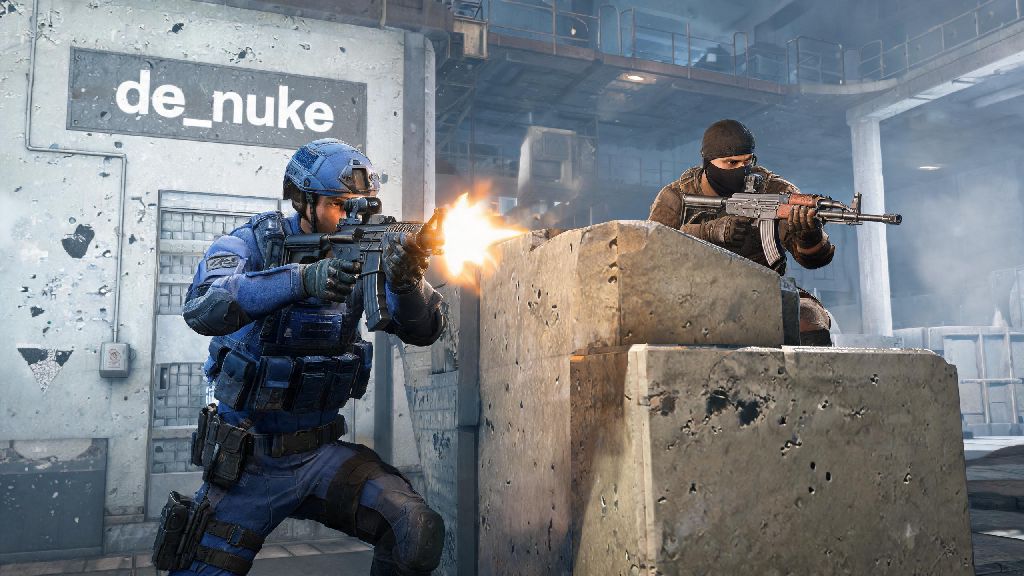
If you’ve ever felt like you’re letting your team down in ranked CS2 because you lose every close 1v1 fight, you’re not alone. Most players focus too much on full team matches and forget that 1v1 practice is the fastest way to build the mechanical skills you need to win fights when it counts. This guide will walk you through exactly how to play 1v1s in Counter Strike 2, from setting up your first lobby to winning more fights and turning those practice sessions into ranked wins. You don’t need any paid tools or special access to get started, just a friend to play with and 30 minutes of free time.
How to Play 1v1s in Counter Strike 2: Lobby Setup Steps
Setting up a 1v1 lobby is straightforward once you know the right settings to adjust, but a lot of new players miss small tweaks that make their practice sessions far more effective. First, open CS2 and navigate to the “Play” tab in the top menu. From there, select “Private Match” instead of public matchmaking, which will let you control every setting of the game. You can either invite a friend directly through your Steam friends list, or set a password for the lobby so only people you share the password with can join.
Next, you’ll want to adjust the core game settings to fit 1v1 play. Most default public match settings are designed for 5v5 play, so they won’t work well for 1v1s. Here are the key settings to adjust before you start:
If you want to use custom workshop maps instead of default CS2 maps, you can download them first through the Steam Workshop, then select them from the map dropdown menu in your private lobby. 128-tick private servers are ideal for 1v1 practice, as they have far less delay than public 64-tick servers, so your aim and movement will feel far more responsive. You don’t need to pay for a separate server to get 128-tick performance, either – local private lobbies run on your own connection, so they’ll default to 128 tick if your internet is stable enough.
Best Maps for CS2 1v1 Matches
The map you pick for your 1v1 sessions will have a huge impact on how useful your practice is, so it’s worth taking a minute to pick the right one for your goals. If you’re a brand new player just learning basic aim and movement, stick to small, simple maps with no complex angles or utility spots. Symmetrical map design is non-negotiable for fair 1v1 play, because it means neither player gets an advantage from their spawn position.
The most popular 1v1 maps for new players are aimmap and 1v1mirage, though aim_botz is more for solo practice than 1v1 fights. For players who want to practice more realistic fights that translate directly to ranked play, pick 1v1 maps that replicate common bombsite layouts from popular ranked maps like Mirage, Inferno, or Dust II. These maps let you practice peeking the exact angles you’ll face in ranked matches, so you’ll build muscle memory that directly helps you win more fights in queue.
You can also find maps that are designed for specific weapon practice, like AWP-only 1v1 maps or pistol-only maps, if you want to focus on improving with one specific weapon type. But avoid maps with too many hiding spots or long sightlines if you’re just starting out, as they’ll lead to slow, campy fights that don’t help you build fast reaction times. You can always move to more complex maps once you’ve mastered the basics of 1v1 combat.
Tips to Win More 1v1s in CS2
Once you have your lobby set up and your map picked, it’s time to focus on winning fights and building skills that stick. The biggest mistake most players make in 1v1s is treating them like casual deathmatches, instead of intentional practice sessions. Even if you’re just playing for fun with a friend, small tweaks to your playstyle will help you win more fights and get better at the game faster.
First, keep your crosshair at head level at all times. This is the single most important tip for any CS2 play, but it’s even more critical in 1v1s, where one well-placed headshot can end a round in a fraction of a second. You don’t want to be caught adjusting your crosshair up to an opponent’s head when they’re already aiming right at yours. Next, avoid wide peeks when your opponent’s position is unknown. Wide peeks give your opponent far more time to react and shoot you before you can get a shot off, so stick to short, controlled peeks until you know exactly where they’re hiding.
It’s also important to mix up your playstyle every few rounds. If you peek the same angle three rounds in a row, your opponent will learn your pattern and be waiting for you with a pre-fire the fourth time. A lot of players make the mistake of grinding 1v1s for 3 or 4 hours straight without taking breaks, which leads to mental fatigue, slower reaction times, and bad habits that stick with you into ranked matches. Short, 5 to 10 minute breaks every hour help you reset your focus and come back to fights with sharper aim. Many players opt for quick, low-stakes casual games during these breaks to keep their mind engaged without the pressure of competitive play, and HiRummy is a popular pick for short, fun rounds that fit perfectly into these short break windows. Don’t use your breaks to scroll through social media, either – that can make it harder to get back into the flow of the game when you return.
How to Use 1v1s to Improve Your Ranked CS2 Performance
1v1s aren’t just for playing around with friends – they’re one of the most effective practice tools for climbing the CS2 ranked ladder, if you use them correctly. The biggest advantage of 1v1 practice is that you don’t have to rely on your team to get fight practice, and you can isolate specific skills that you’re struggling with, instead of getting stuck in full matches where you only get a few fights per game.
Isolate one specific skill per 1v1 practice session to get the most out of your time. For example, if you keep losing pistol rounds in ranked, set up a 1v1 lobby where both players only use pistols, and focus on practicing your pistol aim and movement. If you struggle with holding angles with an AWP, set up an AWP-only 1v1 and practice holding different angles and taking long-range shots. You can also use 1v1s to practice utility usage, even in a 1v1 setting. For example, you can practice throwing flashbangs to blind your opponent before peeking, or using smoke grenades to block off angles you don’t want to fight through.
These small utility skills will translate directly to ranked matches, where a well-thrown flash can win you an entire round. It’s also a good idea to record your 1v1 sessions and review them later, so you can spot bad habits like peeking too wide or forgetting to adjust your crosshair height that you don’t notice while you’re playing. You don’t need fancy recording software, either – the default Steam replay feature works perfectly for reviewing your matches and identifying areas for improvement.
Now you know exactly how to play 1v1s in Counter Strike 2, from setting up your first lobby to using your practice sessions to climb the ranked ladder. Don’t get discouraged if you lose a lot of your first 1v1 fights – every loss is a chance to learn what you’re doing wrong and adjust your playstyle. Even 30 minutes of 1v1 practice per week will make a noticeable difference in your mechanical skills, and you’ll start winning more close fights in ranked matches before you know it. Grab a friend, set up a lobby, and give it a try this week.