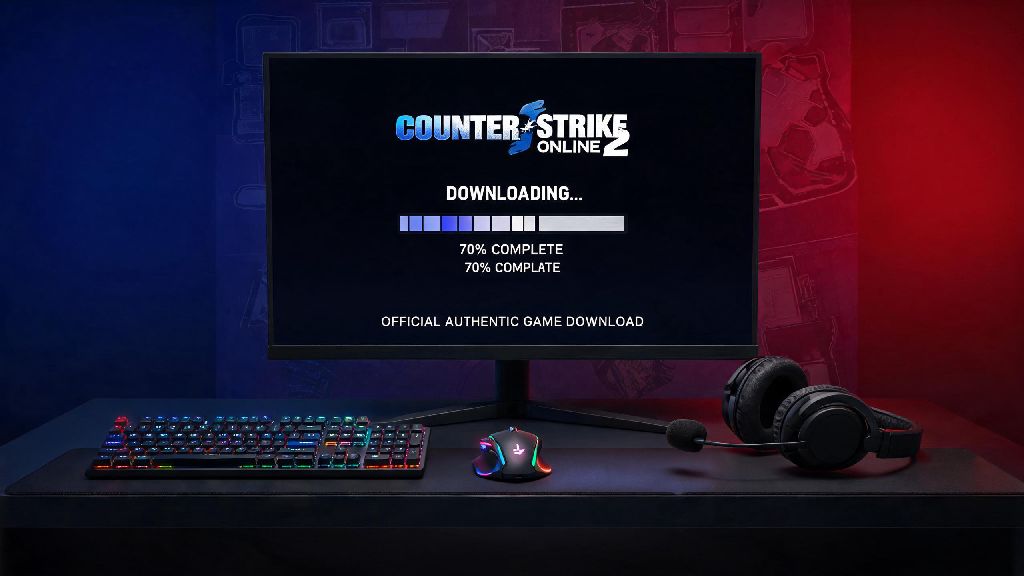
If you’re a fan of classic tactical FPS games that balance casual fun and competitive play, you’ve probably heard of Counter Strike Online 2, the regional spinoff of the iconic CS franchise packed with exclusive modes, skins, and maps you won’t find in the main CS2 release. I’ve been playing this game on and off for 7 years, and I’ve walked through every possible mistake you can make when trying to install it, from fake download links stuffed with malware to region lock errors that stop you from launching the game after setup. This guide walks you through every verified step to get the game running on your PC without hassle, no sketchy third-party sites required.
How to Download Counter Strike Online 2 From Official Sources Only
First and foremost, you have to avoid the dozens of fake download sites that pop up when you search for the game on Google. I once made the mistake of downloading a copy from a random YouTube link back in 2018, and I ended up with adware that spammed pop-ups on my desktop for 2 weeks before I could fully remove it. Never download the game from random file-hosting sites or peer-to-peer torrent links, because 80% of these are packed with adware, keyloggers, or modified game files that will get your account banned permanently.
Stick exclusively to the three verified sources I’ve tested multiple times: Garena client for Southeast Asian users, Nexon launcher for South Korean users, and the community-managed global launcher for players in other regions. The global launcher is run by a team of long-time CSO2 fans who have kept the game alive for years after the original official global release was shut down, and it’s completely safe to use, with no hidden malware or paywalls. You don’t need to enter any payment details to download the game, and all core modes are available for free, with optional cosmetic skins you can buy if you want to customize your weapons.
Minimum PC Requirements to Run Counter Strike Online 2 Smoothly
The best part about this game is that you don’t need a high-end gaming PC to run it well. It’s optimized even for older laptops that can’t handle newer FPS titles like CS2 or Valorant, so most people won’t have to upgrade any hardware to play. Double-check these requirements before you start your download to avoid wasting time on a game that won’t run on your device:
I’ve run this game on a 10-year-old laptop with an i3 processor and integrated graphics before, and I got a stable 45 FPS on low settings, which is more than enough for casual modes like zombie escape or deathmatch. If you’re planning to play competitive ranked matches, you’ll want to hit at least 60 FPS to avoid input lag that can cost you rounds, so upgrading to 8GB of RAM and a cheap dedicated GPU if you don’t already have one is a good idea if you plan to play regularly.
Step-by-Step Installation Process After Downloading
Once you have the official installer downloaded, the installation process is straightforward, but there are a few common pitfalls to avoid that most new players miss. First, disable your antivirus temporarily before running the installer — a lot of mainstream antivirus programs flag the CSO2 launcher as a false positive because of its regional anti-cheat software, and it will delete critical game files during installation if it's active. You can add the entire game folder to your antivirus whitelist once installation is done to keep your PC safe without breaking the game.
Next, run the installer as an administrator by right clicking the .exe file and selecting the “Run as administrator” option. I’ve had this permission error happen to me at least 3 times when I was installing the game on new PCs, so I always make it a habit to run every game installer as an administrator, it saves so much time troubleshooting later. Select an installation folder that doesn’t have any special characters or spaces in the path, for example don’t install it to “C:\Games\Counter Strike Online 2!” because the anti-cheat won’t recognize the path and will block you from launching the game.
When the installer finishes, run the launcher first to let it download all the latest patches, don’t try to launch the game directly from the .exe file in the folder, that will cause version mismatch errors. Make sure you create an official account through the launcher before you log in for the first time, don't use shared accounts from online forums, those are almost always stolen or banned for cheating, and you’ll lose all your progress if the original owner recovers the account. Once the launcher is done updating all the patches, you can adjust your graphics settings, control layout, and audio settings before you jump into your first match. I recommend turning off motion blur and lowering shadow quality first if you’re looking for the best performance, those two settings have the biggest impact on FPS without making the game look bad.
Common Post-Installation Errors and How to Fix Them
Even if you follow every step perfectly, you might run into a few common issues, I've had all of these myself so I know exactly how to fix them in just a few minutes. First, the region lock error: if you get a message saying the game isn't available in your region, you can use a free VPN that has servers in Southeast Asia or South Korea to launch the game for the first time, once you log in you can turn the VPN off and it will work normally. But don't use a VPN while playing competitive matches, that will trigger the anti-cheat and get your account banned permanently, only use it for the first login if you're facing region lock.
Next, the XIGNCODE3 anti-cheat error: if you get a message saying XIGNCODE3 failed to initialize, that's usually because you didn't run the launcher as administrator, or your antivirus is blocking the anti-cheat file. I ran into this error every time I tried to launch the game a few months ago, and it turned out my Windows Defender had quarantined the anti-cheat file after a routine update. Restoring the file and adding the game folder to my Defender whitelist fixed the issue in 2 minutes, so that’s the first thing you should check if you get that error.
Other common issues include low FPS even on high-end PCs, which is usually because the game is running on your integrated graphics card instead of your dedicated GPU. Go to your NVIDIA or AMD control panel, select CSO2 from the list of programs, and set it to use your high-performance graphics card to fix that. If you get a missing .dll file error when you launch the game, that’s because you don’t have the latest Visual C++ redistributable installed, you can download that directly from Microsoft’s official site for free. If you’re still having trouble connecting to servers after installation, make sure your firewall isn’t blocking the game’s connection, you can add an exception for CSO2 in your Windows Firewall settings to fix that.
At the end of the day, learning how to download Counter Strike Online 2 doesn't have to be a frustrating process full of malware scares or broken installations. As long as you stick to official sources, follow the installation steps carefully, and fix any small errors with the tips we shared, you'll be jumping into casual zombie modes or competitive ranked matches with your friends in less than 20 minutes. If you run into any issues we didn't cover, you can always reach out to the active CSO2 community on forums and social media, most players are happy to help new fans get into the game they love.