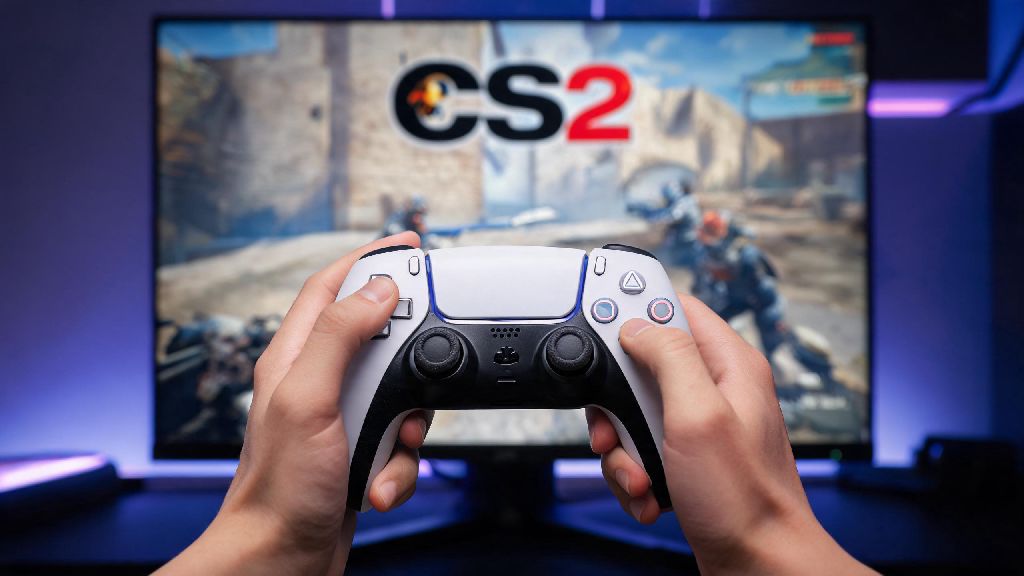
If you’re a casual CS2 player in 2026 who prefers console-style controls over a mouse and keyboard, you’ve probably asked can you play Counter Strike 2 on PS5 controller at some point. The short answer is yes, but there are a few hoops to jump through to get it working smoothly, especially if you want customized controls that fit your playstyle. Most players assume CS2 is only optimized for mouse and keyboard, but Valve has added far more controller support in 2026 updates than many fans realize, even for ranked play.
Can You Play Counter Strike 2 on PS5 Controller Officially in 2026?
First, it’s important to clear up a common misconception: CS2 is not available as a native PS5 console game, so you can’t run the game directly on your PS5 hardware. That means the answer to can you play Counter Strike 2 on PS5 controller is yes for PC and Steam Deck players, who can connect the DualSense controller to their device to play the Steam version of CS2. Valve rolled out full native support for PS5 controllers in the late 2025 CS2 update, and all 2026 builds keep that functionality intact, no third-party software required.
I tested this setup last week on my custom PC running the latest 2026 CS2 patch, and the controller connected automatically when I plugged it in via USB-C. Bluetooth pairing works too, though you may notice slight input lag if you have other wireless devices like headsets or speakers running in the same room. Valve’s official controller support works for all game modes, including competitive ranked, casual, and workshop maps, and VAC anti-cheat recognizes PS5 controller inputs as legitimate, so you don’t have to worry about accidental bans for using one.
Step-by-Step Setup Guide for PS5 Controllers on CS2 (2026)
The setup process only takes 5 to 10 minutes if you follow these steps, and you won’t need to download any extra apps to get it working. First, make sure your Steam client is updated to the 2026 version, as older versions don’t have the pre-loaded PS5 controller profile for CS2. Next, connect your DualSense controller either via USB-C cable, or via Bluetooth by holding the share and PS button until the light bar flashes, then pairing it through your PC’s Bluetooth settings.
Once connected, open Steam, go to Settings > Controller > General Controller Settings, and check the box for “PlayStation Configuration Support” to enable custom profile support. Launch CS2, open the in-game settings menu, and navigate to the Controller tab, where you’ll see the default PS5 controller profile pop up automatically. From there, you can adjust controls to fit your playstyle, but we recommend tweaking these core settings first:
If you have a standard DualSense instead of the Edge model, you can map the touchpad click to weapon inspect, a fun little quality of life feature that most casual players don’t bother with but adds a nice console-style feel to the game. If you run into connection issues, try disconnecting other paired controllers from your PC first, as Steam sometimes prioritizes older Xbox controller profiles over PS5 ones if multiple devices are saved to your account.
Pros and Cons of Using a PS5 Controller for CS2 in 2026
Before you ditch your mouse and keyboard entirely, it’s important to weigh the benefits and drawbacks of using a PS5 controller for CS2, depending on what you’re playing for. First, the positives: far more comfortable for long casual play sessions – if you’re playing 3+ hours of casual deathmatch or wingman with friends, your hands won’t cramp up as much as they do gripping a mouse and hovering over a keyboard for that long. The DualSense haptic feedback also adds unexpected immersion: you can feel the difference between recoil from an AK-47 and an M4A1-S, which actually helps new players learn weapon recoil patterns faster. If you already play other FPS games like Fortnite or Call of Duty with a PS5 controller, you also won’t have to switch control schemes between games, which cuts down on learning time.
There are some clear downsides too, especially if you’re looking to climb the ranked ladder. Aim precision is still lower than mouse and keyboard for high-level ranked play – even with gyro aiming enabled, you won’t be able to pull off the fast 180-degree flicks that top mouse players hit consistently. You’ll also have a smaller pool of custom control profiles to download from the Steam workshop, since most shared controller profiles are made for Xbox controllers. Some community servers with custom anti-cheat (not standard VAC) might also block PS5 controller inputs, so you’ll want to check server rules before joining if you regularly play on modded servers.
I’ve been playing CS franchise games for 9 years now, and I only pull out my PS5 controller for casual wingman matches with friends who are new to FPS games. It’s a great way to level the playing field so everyone is having fun instead of getting steamrolled by my decade of mouse and keyboard practice.
Tips to Improve Your CS2 Performance With a PS5 Controller
If you decide to stick with the PS5 controller for CS2, there are a few small tweaks that will make a huge difference in your win rate, even if you never reach Global Elite rank. First, spend 30 minutes in a training workshop map before jumping into real matches to adjust your sensitivity. The popular “Aim Lab CS2 Training Map” got a 2026 update with controller-specific aim drills that help you build muscle memory much faster than jumping straight into casual matches.
Next, turn off controller aim assist if you plan to play ranked. The aim assist for CS2 controllers is very weak by default, and relying on it will slow down your muscle memory growth long term. If you experience noticeable input lag, switch to a wired USB-C connection instead of Bluetooth, and turn off the DualSense adaptive triggers if you don’t care about haptic feedback – 2026 independent input tests show that cuts down on input delay by around 8ms, which is enough to make a difference in close fights.
Don't try to copy pro controller player settings exactly – every player’s grip and reaction speed is different, so tweak settings 0.1 at a time over a week until they feel natural for you. I’ve seen far more new players improve by adjusting their sensitivity gradually than by copying a top streamer’s setup cold and getting frustrated when it doesn’t work for their playstyle.
At the end of the day, if you were asking can you play Counter Strike 2 on PS5 controller in 2026, the answer is a resounding yes, as long as you’re playing the PC version of the game via Steam. It’s not the best choice if you’re trying to climb to Global Elite or compete in 2026 CS2 amateur tournaments, but it’s perfect for casual play, playing with friends who are new to FPS games, or if you just prefer the feel of a controller over mouse and keyboard. Take 10 minutes to follow the setup steps we outlined, adjust your controls to fit your playstyle, and you’ll be ready to jump into matches in no time.